Didn’t Discover!!
What You're Looking For?
Didn’t Discover!!
What You're Looking For?
 By
Aman Bhati
By
Aman Bhati
 7 min
7 min
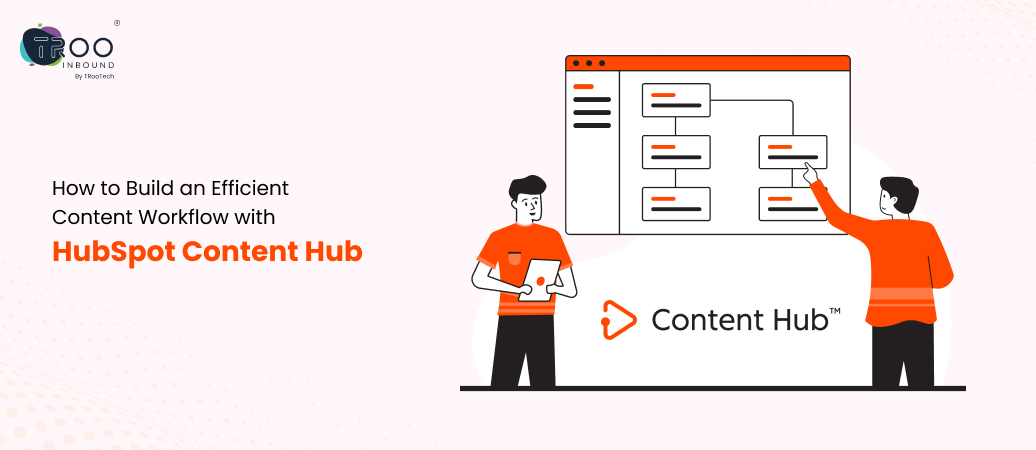
Managing content for enterprises has become complex. Teams have to manage content creation for multiple platforms, make regional variations, work with disconnected tools, and follow lengthy approval cycles. All these result in inconsistent and duplicated content. But HubSpot Content Hub can bring a proper structure to this chaos.
For CMOs and content leaders, Content Hub works as a unified content engine that streamlines content workflows, from production to publishing across platforms. With features like AI-assisted content creation, asset management, easy HubSpot CRM integration, etc., this tool empowers organizations to maintain consistent brand messaging across each platform.
Additionally, many enterprises choose HubSpot CMS Development to create a cohesive, high-performance digital presence from the beginning.
This blog outlines the role of HubSpot Content Hub in building and managing efficient content workflows for organizations that are modernizing their content operations.
As we discussed, enterprise marketing teams operate across multiple platforms, regions, formats, etc. Without a centralized framework, the generated content quickly becomes scattered across folders, leading to duplication or inconsistency. These challenges grow as businesses scale, making it difficult for leaders to maintain oversight and ensure brand alignment across every touchpoint.
On the other hand, a centralized content workflow gives enterprises a single source of truth for further strategizing, crafting, governing, and performance tracking of the content. It helps teams eliminate repetitive work and save time for your team.
Plus, it also becomes easier to enforce brand guidelines, streamline approvals, and maintain version control, especially when working across regional marketing teams or multiple agencies.
With all production to analytics activities in one place, marketing leaders can quickly identify bottlenecks, allocate resources more efficiently, and make data-backed decisions that improve operational efficiency.
HubSpot Content Hub is designed to unify the full content lifecycle so enterprise teams can operate with greater clarity and alignment. Its capabilities go beyond simple content storage; they create a scalable content infrastructure that supports global marketing operations.
Enterprises often struggle with version control, duplicated assets, and scattered content repositories. Content Hub solves this through a unified asset library where all files, templates, brand guidelines, and content components are centrally stored. Teams gain a single source of truth and can confidently reuse approved assets across campaigns, regions, and formats.
If you are looking for learning more about HubSpot Content Hub, HubSpot Academy’s course on CMS for Marketers helps you understand how a structured content environment improves efficiency and brand consistency at scale.
Content Hub includes automation tools that eliminate manual follow-ups and reduce approval delays. Marketing Ops leaders can set up predefined workflows for content drafting, editing, legal checks, and publishing. It accelerates production and ensures every step follows organizational compliance requirements.
Enterprise CMOs need visibility into what content actually drives pipeline influence, customer engagement, and ROI. Content Hub connects campaign performance, asset usage, and engagement metrics into the Reporting & Dashboard software that lets teams track which pages, blogs, CTAs, or assets perform best and also identify content gaps. This level of insight empowers marketing leaders to invest in content that directly impacts revenue outcomes.
With easy integration with HubSpot CRM, teams can move from planning to execution without switching platforms. Content performance is automatically tied to contacts, lifecycle stages, and deals, making further conversion processes easier. For enterprises setting up their ecosystem from scratch, establishing the right HubSpot CRM Setup ensures a strong foundation for personalized, data-driven content experiences across every customer touchpoint.
An efficient content workflow ensures that enterprise teams can move from ideation to publishing with speed and accountability. HubSpot Content Hub simplifies this by aligning every stage of the content lifecycle into a predictable and repeatable framework. Here’s how you can build the workflow:
Enterprise content planning requires cross-functional alignment of brand, product, regional teams, and leadership. Using HubSpot’s content calendar and campaign tools, teams can define goals, assign owners, and map content to buyer journeys or regions. This ensures every asset has a clear intent and impact.
With AI-powered content tools and centralized assets, teams can draft, reuse, or repurpose content more efficiently. Creative teams can build variations for regions, formats, and channels without starting from scratch each time.
HubSpot’s collaborative editing and commenting tools help writers, editors, designers, and SMEs work together in real time. Instead of long email threads, revisions stay inside the asset, improving accuracy and reducing review cycles.
Long approval cycles are one of the biggest blockers for enterprise content velocity. Content Hub allows marketing ops to configure multi-level, role-based approval workflows that reflect brand, compliance, and regional requirements. Plus, its automated notifications ensure no step gets missed.
With native publishing across websites, landing pages, blogs, email, and connected channels, teams can deploy campaigns without moving across platforms. Version control ensures that only the most recent approved content goes live.
After publishing, teams gain unified visibility into KPIs like engagement, conversions, asset usage, and attribution. These insights directly feed back into planning cycles, enabling continuous improvement.
To maximize the impact of this workflow, enterprise teams should follow a set of operational best practices that keep production scalable and governance tight.
For enterprise organizations, content supports customer journeys, RevOps, and personalized engagement across multiple channels. HubSpot Content Hub becomes significantly more powerful when integrated with the broader enterprise ecosystem, especially CRM platforms, marketing automation tools, and customer data systems.
When Content Hub is connected to HubSpot CRM, every content asset can be tied to real-time customer data such as lifecycle stages, behavior, preferences, or past interactions. This allows teams to deliver personalized content and a tailored user experience without manual data syncing. If your enterprise is setting up the foundation, a structured HubSpot Onboarding ensures the CRM and content infrastructure work in sync from day one.
Enterprises typically rely on multiple platforms like ads, analytics, personalization engines, ABM tools, and customer support systems. Content Hub integrates seamlessly with them, enabling marketers to build unified campaigns across channels while avoiding fragmentation.
With CRM and marketing integrations in place, Content Hub becomes a single intelligence layer. Leaders get unified visibility into content engagement, revenue attribution, and customer behavior insights. Companies looking to expand these capabilities can leverage HubSpot Custom Integrations to connect niche or internal systems for deeper operational alignment.
To understand the true impact of HubSpot Content Hub, enterprise teams must measure how effectively their content workflows operate and how much value they deliver. Here’s how:
Track the time it takes for content to move from planning to publication. Shorter cycles indicate a well-structured workflow supported by reusable assets and clearer responsibilities.
Measure delays within review and approval stages. Automated, role-based workflows in HubSpot significantly reduce slowdowns caused by manual follow-ups or unclear ownership.
Analyze page views, time on page, click-through rates, conversion rates, and asset downloads. These metrics surface which types of content resonate most with your target audience.
Link content assets directly to pipeline influence, lead quality, and conversion outcomes. This gives leaders a more accurate view of content’s contribution to revenue.
A streamlined content workflow delivers ROI in multiple ways: reduced production costs, fewer duplicated assets, faster go-to-market timelines, and improved cross-team collaboration.
Additionally, better personalization through CRM-connected content drives higher engagement and conversions. When operational efficiency and content performance improve simultaneously, the result is a measurable uplift in both marketing velocity and overall business impact.
With growing content demand, the future of content operations will rely heavily on automation, intelligence, and scalable governance frameworks. And HubSpot Content Hub is already positioned to support this evolution.
Its features, like AI-powered content recommendations, adaptive personalization, and automated content repurposing, will enable teams to deliver more relevant experiences without increasing manual workload.
Workflow automation will also expand, reducing operational friction across global teams. Automated approvals, compliance checks, and asset routing will streamline content velocity.
Additionally, multi-language support will become essential as enterprises globalize. HubSpot’s translation management and regional content control will help maintain consistency across diverse markets without duplicating effort.
Ultimately, the future of enterprise content operations lies in continuous optimization. By leveraging AI, automation, and centralized systems like HubSpot Content Hub, marketing teams can scale output, enhance personalization, and improve efficiency.
Building an efficient content workflow is essential for enterprise marketing teams aiming to accelerate content production and drive measurable ROI. With centralized asset management, automated approvals, integrated analytics, and seamless CRM alignment, HubSpot Content Hub helps organizations eliminate fragmentation and scale content operations with confidence.
By adopting a unified content engine, CMOs and marketing leaders can boost productivity, strengthen cross-team collaboration, and deliver more personalized customer experiences across global markets.
If your organization is ready to modernize its content systems, TRooInbound can help you implement and optimize HubSpot Content Hub for maximum efficiency.
A streamlined, centralized content workflow is now within your reach. Start building it with HubSpot Content Hub and the right onboarding partner.
Dive into other interesting, well-researched, and nicely structured blog posts
 a CTA
a CTAWe will strategize our execution based on your requirement
Stay up to date by subscribing to our newsletter.
5900 Balcones Drive STE 100, Austin, TX 78731
Velocity 904-910, L.P. Savani Road, Nr. Madhuvan Circle, Surat, Gujarat 395009
5900 Balcones Drive STE 100, Austin, TX 78731

Call
+91 27174 54342

Email Address
hello@trooinbound.com

Skype Id
nikhil.jani

Schedule A Meeting
meeting/nikhil-jani
Copyright © 2025, TRooInbound. All Rights Reserved.
 6 min
6 min