
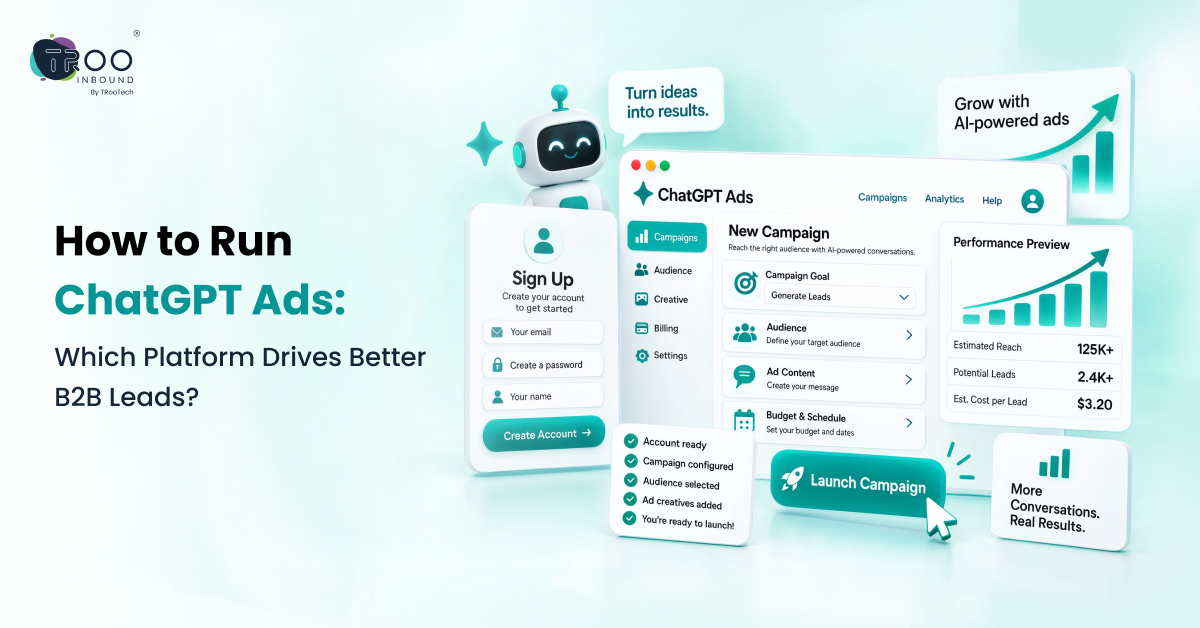
To run ChatGPT Ads, advertisers need to create an eligible OpenAI Ads Manager account, set up a campaign, choose a campaign objective, create focused ad groups and ads, set a budget, configure conversion tracking, and launch the campaign. Once the ads have launched, advertisers can monitor key metrics like impressions, clicks, CTR, CPC, and conversions to adjust and maximize their campaign results.
ChatGPT Ads provide businesses with the opportunity to engage with potential customers who are searching for products, considering alternatives, and seeking solutions via conversations. Unlike traditional search advertising, ChatGPT advertising takes place in a conversational environment where the context of a user’s interaction can be relevant to ad delivery.
This is a call for advertisers to get a little creative with keywords. The campaign should focus on customer needs, appropriate types of conversation, meaningful messages, and business results.
This guide explains how to advertise on ChatGPT from account setup to campaign launch and measurement. It also covers ChatGPT Ad Targeting, creative, budgets, conversion tracking, common mistakes, and practical ways to build a ChatGPT Advertising Strategy.
TL;DR:
- Before launching a campaign, set up an eligible account, fill out business information, verification, billing information, and more.
- Select a goal, like views, clicks, or conversions, depending on the business outcome you're looking to accomplish.
- Create campaigns and ad groups based on business goals, customer needs, and relevant conversation types.
- Use conversational context with ChatGPT Ad Targeting, and use context hints to describe your product/service's relevance.
- Don't measure performance by clicks; measure impressions, clicks, CTR, CPC, CPM, spend, and conversions.
- Analyze campaign performance, refine message and targeting, and ensure ads and landing pages align with the customer journey.
What Are ChatGPT Ads?

ChatGPT Ads are paid ads that are seen within the ChatGPT experience and are separate from ChatGPT’s answers. The ad can feature the advertiser’s name, logo, headline, description, image, and landing page, depending on the ad format.
The only distinction is the context in which the ad is displayed. Traditional search ads typically begin with a search query, but with ChatGPT, users can state a problem, ask additional questions, and then have a conversation with the model to compare solutions.
OpenAI says ad delivery can consider the context of the current conversation and, when personalization is enabled, selected signals from a user’s broader ChatGPT experience.
ChatGPT Ads vs Traditional Search Advertising
The difference becomes easier to understand when you compare the two experiences.
Traditional Search Advertising | ChatGPT Advertising |
Often starts with a search query | Starts within a conversation |
Keywords are an important part of campaign planning | Conversational context and relevance are important |
Users typically see a results page | Ads appear within the ChatGPT experience
|
Advertisers often organize campaigns around keywords | Advertisers can organize ad groups around themes and relevant conversation types
|
Clicks and conversions are common measurement points
| Impressions, clicks, spend, CTR, CPC, CPM, and conversions can be measured in Ads Manager |
The goal is not to treat one platform as a replacement for the other. Instead, advertisers need to understand how people behave in each environment and adapt their campaigns accordingly.
How to Advertise on ChatGPT
The process involves setting up Ads Manager, choosing a campaign objective, creating your campaign and ad groups, adding relevant context, creating ads, setting a budget, configuring conversion tracking, and launching the campaign.
Step 1: Create Your ChatGPT Ads Manager Account
ChatGPT Ads campaigns are created and managed through OpenAI Ads Manager Beta. Before launching a campaign, you need to complete the advertiser account setup.
The current setup process includes:
- Creating or accessing an OpenAI account
- Adding your business information
- Providing your website and business details
- Adding your brand logo
- Completing account verification
- Setting up billing
- Adding a payment method
- Inviting relevant team members
OpenAI notes that campaigns will not deliver until the required setup steps are completed. Account availability also depends on the country or region associated with the advertiser account.
Step 2: Decide What Your Campaign Needs to Achieve
Before opening the campaign builder, define the outcome you want. Are you trying to:
- Increase visibility?
- Bring people to your website?
- Generate leads?
- Drive purchases?
- Encourage registrations?
- Promote a particular product or service?
Your objective affects how the campaign is configured and measured. OpenAI currently supports campaign objectives including Views (CPM), Clicks (CPC), and Conversions. Views are designed around visibility, Clicks around website traffic, and Conversions around optimizing toward a selected supported conversion event.
Step 3: Create Your ChatGPT Ads Campaign
In Ads Manager, the campaign is the top level of your advertising structure. A campaign defines elements such as:
- Campaign name
- Objective
- Budget
- Dates
- Countries
- Platforms, where applicable
- Conversion event for conversion-focused campaigns
- Relevant audience settings
OpenAI recommends structuring campaigns around distinct business goals, regions, or product categories where appropriate.
Step 4: Create Ad Groups
An ad group sits between the campaign and the individual ads. You can think of it as a focused theme within your larger campaign.
For example, if your business sells project management software, one ad group could focus on teams looking to improve project visibility, while another could focus on companies replacing spreadsheets.
OpenAI describes ad groups as collections of ads organized around a specific theme or intent area. Context hints can be added to describe the types of conversations in which the ads may be relevant.
Step 5: Use Context for Ad Targeting
ChatGPT Ad Targeting uses conversational relevance and context rather than relying only on traditional keywords.
For example, an accounting software company should consider situations such as a business comparing accounting platforms, replacing spreadsheets, or looking for a simpler way to manage invoices.
The goal is to describe when your product or service is useful, not simply what the product is called.
Step 6: Create Your Ads
Once your campaign and ad groups are structured, create the actual ads. The ad can include:
- Title
- Description
- Image
- Landing page
These elements work together to explain why someone should pay attention and what they can do next.
Step 7: Set Your Budget and Bidding
Set a budget based on your campaign objective, bidding approach, and available advertising spend. OpenAI currently supports CPM-based Views campaigns and CPC-based Clicks campaigns, along with conversion-focused campaigns.
Start with a budget that gives the campaign enough activity to produce useful data. You can adjust spending once you understand campaign performance.
However, OpenAI recommends a starting maximum bid of $3 to $5 USD per click for Cost-Per-Click (CPC) campaigns, and a minimum daily budget typically starts at a minimum of $25 USD (₹725).
Step 8: Add Conversion Tracking
If your goal is lead generation, sales, registration, or another valuable action, clicks alone are not enough. Conversion tracking helps you understand what happens after someone interacts with your ad.
OpenAI currently supports conversion measurement using the OpenAI Pixel, the Conversions API, or both. A conversion can be reported when the relevant event is received, matches the conversion configured for the campaign, occurs within the applicable attribution window, and can be connected to an eligible ad interaction.
What Can You Measure?
Depending on your setup, a conversion could represent an action such as:
- Completing a purchase
- Submitting a lead form
- Registering for an event
- Creating an account
- Completing another defined business action
The important point is to define the conversion before you launch rather than trying to decide afterward what success means.
Step 9: Launch and Monitor Your Campaign
Review the campaign objective, budget, ads, landing page, context, and tracking before launching.
After launch, monitor performance and look for meaningful patterns in clicks, costs, and conversions before making major changes.
How to Measure ChatGPT Ads Performance
You measure ChatGPT Ads performance by looking at delivery, engagement, cost, and conversions. Ads Manager currently reports metrics such as impressions, clicks, spend, CTR, average CPC, average CPM, and conversions when conversion tracking is configured.
The important point is that no single metric tells you whether a campaign is successful. You need to connect the numbers to the goal of the campaign.
Important ChatGPT Ads Measurement Metrics
Metric | What It Means | What It Helps You Understand |
Impressions | Number of times your ad was shown | How much exposure your campaign is getting in ChatGPT Ads Manager |
Clicks | Number of times users clicked the ad | How much traffic the ad generated
|
CTR | Percentage of impressions that resulted in clicks | Whether the ad is getting attention and encouraging users to click |
Spend | Total amount spent on the campaign | How much budget the campaign has used in ChatGPT Ads Manager |
Avg. CPC | Average cost for each click
| How much you are paying to generate traffic |
Avg. CPM | Average cost per 1,000 impressions | How much you are paying for ad exposure
|
Conversions | Conversion events attributed to the campaign | Whether users are completing the action you want, using conversion tracking and tools such as Google Analytics |
This keeps the campaign focused on what potential customers need rather than simply creating advertisements and waiting for results.
Using tools such as ChatGPT Ads Manager and Google Analytics can also help you connect campaign metrics with the actions users take after interacting with your ads.
Common ChatGPT Advertising Mistakes to Avoid
Running ads in a new advertising environment can make it tempting to copy campaigns from other platforms. That can create problems.
1. Treating ChatGPT Ads Like Google Ads
Do not simply copy a keyword-based campaign from another platform. Think about the situations and problems that make your product relevant within a conversation.
2. Using Generic Ad Copy
Make your message specific. Tell users what your product does and what benefit it provides instead of relying on broad marketing statements.
3. Ignoring the Landing Page
Make sure the landing page supports the message in your advertisement. If the ad promotes a specific solution, users should be able to find that solution immediately after clicking.
4. Measuring Only Clicks
Track conversions when your goal is leads, sales, registrations, or another business action. Clicks show traffic, while conversions show whether users completed the action you care about.
5. Changing Too Many Things at Once
Make campaign changes carefully. Changing the ad, budget, context, and landing page at the same time makes it difficult to identify what affected performance.
How to Build a ChatGPT Advertising Strategy
A practical ChatGPT Advertising Strategy starts with understanding your customer and the problem you can solve for them. Rather than making ads based on features, look at relevant customer needs, conversations, and actions that can create business outcomes.
1. Identify the Problem You Solve
The first step is to figure out what problem your product/service is solving for your customer. Know what they want to improve, cut down, change, or get, and customise your messages around it. Having a clearly defined problem statement makes it easier to develop ads that are more relevant than generic.
2. Identify Relevant Conversation Types
Consider where you can fit your product into the conversation. Customers could be looking for solutions, making comparisons, seeking recommendations, or working to solve a specific business challenge. These conversation types are useful for setting up relevant ad groups and context hints.
3. Create Different Value Propositions
A single product can satisfy multiple customer needs, so don’t include all the benefits on a single ad. Develop multiple messages on the specific problem/outcome that is important to various audiences. This makes each ad more focused and lets you know which value proposition resonates with users.
4. Match the Ad With the Landing Page
The message you’re trying to send in your ad should flow over into the landing page. If the ad mentions a specific issue or solution, it should be easily accessible once the user clicks through. Keeping the ad and landing page aligned creates a more consistent path from interest to conversion.
5. Define the Conversion
Determine what you want users to do before you start your campaign. This may be a demo request, lead submission, purchase, registration, or sign-up. It is useful to establish the conversion goal in the beginning so that there is a standard to determine if the campaign is providing business value.
6. Review Results and Improve
Performance data will help you know which campaigns, ad groups, and messages are getting you results once your campaign goes live. Look beyond clicks and review conversions, costs, and other relevant metrics. Use these insights to refine your ads and targeting instead of making changes based only on assumptions.
This strategy transforms ChatGPT ads from a one-off campaign into a continuous process of planning, testing, measuring, and optimizing.
When Should You Consider ChatGPT Ads Management?
Managing a ChatGPT campaign involves more than creating an ad. As campaigns become more complex, advertisers may need to manage:
- Multiple campaigns
- Different ad groups
- Context hints
- Creative variations
- Budgets
- Landing pages
- Conversion tracking
- Reporting
- Ongoing optimization
If your team already manages several advertising channels, adding another platform can also increase the amount of campaign work that needs to be monitored.
This is where specialist support can help.
TRooInbound provides digital marketing services for businesses looking to improve their visibility and customer acquisition across changing digital channels. You can explore the broader TRooInbound digital marketing services to understand how the company approaches digital marketing.
For businesses specifically looking for support with campaign setup, creative, targeting, tracking, and optimization, you can also explore ChatGPT Ads Management Services.
The objective should be straightforward: build campaigns around real customer needs, measure meaningful actions, and use performance data to improve the campaign over time.
Final Thoughts
ChatGPT is creating a different environment for digital advertising. People can explain what they need, ask follow-up questions, compare solutions, and continue researching without moving through a traditional search-results page.
For advertisers, that means campaign planning needs to account for more than keywords and ad copy.
A successful campaign starts with a clear business goal. From there, advertisers can structure campaigns and ad groups around meaningful themes, use context hints to describe relevant conversation types, create specific ad messages, connect those messages to useful landing pages, and set up conversion measurement.
The platform is still developing, so advertisers should also expect the available tools, targeting options, reporting features, and campaign capabilities to evolve.
The most useful approach is to start with a clear customer problem, build a focused campaign around it, measure what happens after the ad interaction, and use those results to improve the next campaign.
FAQs
Read Popular Questions
Can businesses advertise on ChatGPT?
Yes. OpenAI currently offers ChatGPT advertising through Ads Manager Beta, subject to account, country, and advertiser eligibility requirements. Access and available capabilities can change as the platform develops.
How do I advertise on ChatGPT?
Start by creating an eligible Ads Manager account, completing business verification and billing setup, creating a campaign, building ad groups, adding relevant context hints, creating ads, setting the campaign details, and launching after the required review and setup steps are complete.
How does ChatGPT Ad Targeting work?
ChatGPT Ad Targeting can use the context of the current conversation and, when ad personalization is enabled, selected signals from a user’s broader ChatGPT experience. Advertisers can also describe relevant conversation types through context hints at the ad-group level.
How much does it cost to advertise on ChatGPT?
Cost depends on the campaign objective, bidding approach, budget, and delivery. Current Ads Manager objectives include Views using CPM and Clicks using CPC, along with conversion-focused campaigns. OpenAI currently sets a minimum daily budget of INR 725 for accounts billed in Indian rupees and USD 25 for accounts billed in US dollars. Minimum daily budgets vary by billing currency and may change over time.
How can I measure ChatGPT Ads?
Ads Manager provides metrics such as impressions, clicks, spend, CTR, average CPC, average CPM, and conversions when conversion measurement is configured. You can use Ads Manager to monitor campaign performance and export reporting data for further analysis in tools such as Google Analytics or your own reporting platform.
Can I track leads and purchases from ChatGPT Ads?
Yes. OpenAI supports conversion measurement through the OpenAI Pixel, Conversions API, or both. You can configure relevant conversion events, such as leads or purchases, and use the resulting data to understand actions users take after interacting with your ads. Tools such as Google Analytics can also help analyse what happens after users reach your website.
Are ChatGPT Ads the same as Google Ads?
No. While both are paid advertising platforms, they operate in different environments. Google Ads commonly centers on search queries and keyword-based intent, while ChatGPT Ads operate within a conversational experience where the context of the interaction can be relevant to ad delivery.