
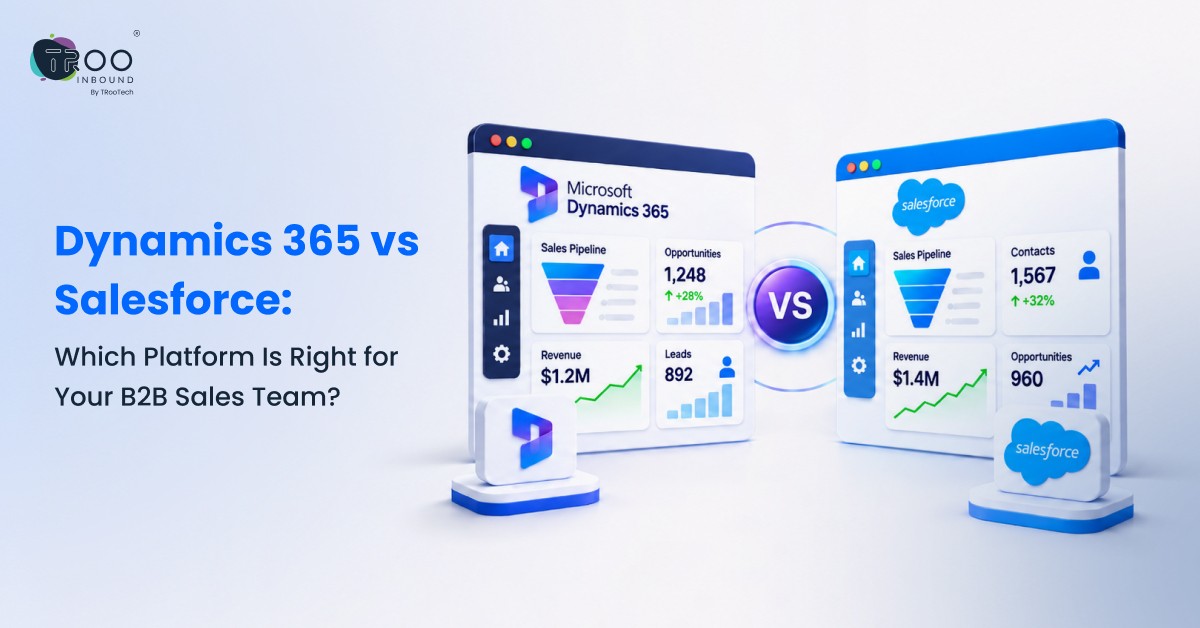
Microsoft Dynamics 365 is a strong choice for teams already using Microsoft tools, while Salesforce is better suited for businesses that need extensive customization and access to a broad app ecosystem. Both can support complex B2B sales. The better choice depends on your existing stack, sales process, integration needs, AI strategy, administration model, budget, and long-term total cost of ownership.
A CRM comparison becomes useful only when it is tied to how your sales organization actually works. A feature that looks impressive in a demo may add little value if it duplicates tools you already own, requires heavy administration, or does not fit your data and reporting model.
This guide compares Dynamics 365 Sales and Salesforce Sales Cloud from the perspective of B2B sales teams. It also offers practical guidance on choosing the right CRM and highlights TRooInbound’s consulting, implementation, migration, integration, and optimization services.
TL;DR:
- Choose Dynamics 365 when Microsoft is already central to your business systems, and you want sales CRM to work closely with that ecosystem.
- Choose Salesforce when CRM is the center of your revenue stack, and you value broad extensibility, AppExchange options, and a large ecosystem of Salesforce administrators, developers, partners, and specialists.
- Both platforms handle leads, opportunities, forecasting, automation, customization, and enterprise-scale sales processes.
- AI is becoming a major differentiator: Dynamics 365 emphasizes Copilot and Microsoft sales agents, while Salesforce is expanding Agentforce across its sales stack.
- Compare total cost, not license price alone. Implementation, integrations, customization, administration, training, data migration, and ongoing optimization can materially change the economics.
Dynamics 365 vs Salesforce: What Is the Difference?
At first glance, Microsoft Dynamics 365 Sales and Salesforce Sales Cloud look very similar. Both help sales teams manage leads, contacts, accounts, opportunities, activities, pipelines, forecasts, and revenue.
The main difference is what surrounds the CRM.
Dynamics 365 is deeply connected to the Microsoft ecosystem, making it a natural choice for organizations already using Microsoft tools across sales, finance, service, operations, data, and productivity. Salesforce, on the other hand, is built around a broad CRM and partner ecosystem, with extensive customization and a large marketplace for extending the platform.
What Is Microsoft Dynamics 365 Sales?
Dynamics 365 Sales is Microsoft’s sales CRM within the broader Dynamics 365 and Power Platform ecosystem. It provides core capabilities such as lead and opportunity management, sales automation, forecasting, reporting, and AI-assisted selling.
The main advantage of Dynamics 365 Sales is its connection with other Microsoft technologies. Sales teams can work across Microsoft 365, Outlook, Teams, Power BI, Power Apps, Power Automate, and Azure, while connecting sales processes with finance, customer service, and operations.
This makes Dynamics 365 particularly suitable for organizations already invested in Microsoft technologies. Businesses can integrate CRM with productivity tools, operational systems, and broader business applications instead of managing it as a standalone platform.
Best suited for: Organizations with a strong Microsoft technology footprint or businesses that want to connect CRM with broader Microsoft business applications.
What Is Salesforce Sales Cloud?
Salesforce Sales Cloud is Salesforce’s core sales CRM platform. It provides tools for lead and opportunity management, forecasting, territory and pipeline management, sales automation, analytics, and customization.
Its value also extends beyond the core CRM. The AppExchange marketplace, Salesforce Platform, APIs, and partner ecosystem allow businesses to extend the platform and connect it with a wide range of applications.
Salesforce also integrates with products such as Slack, Data Cloud, and Agentforce, giving organizations additional ways to bring collaboration, customer data, and AI into their sales operations.
For businesses that want CRM to serve as a configurable foundation for their revenue technology stack, this ecosystem can be a major advantage.
Best suited for: Organizations that prioritize extensive customization, broad integrations, and a flexible CRM ecosystem that can evolve with their sales and revenue operations.
Dynamics 365 vs Salesforce: Which One Fits Your Business?
| Factor | Dynamics 365 | Salesforce |
|---|---|---|
| Best fit | Businesses already invested in Microsoft or connecting CRM with finance, service, and operations | Businesses looking for a highly extensible CRM ecosystem |
| Core sales CRM | Dynamics 365 Sales | Salesforce Sales Cloud |
| Ecosystem & integrations | Microsoft 365, Outlook, Teams, Power Platform, Power BI | Slack, AppExchange, Salesforce Platform, Data Cloud |
| Customization | Custom fields, forms, business process logic, Power Apps, and Power Automate | Custom objects, validation rules, Flow, APIs, and Apex |
| AI direction | Copilot, Microsoft sales agents, and Copilot Studio | Einstein capabilities, Agentforce, and related AI capabilities |
| Enterprise fit | Particularly strong when sales needs to connect with Microsoft ERP, service, or operations | Particularly strong when CRM serves as a central platform across revenue teams |
How Do Dynamics 365 and Salesforce Compare in Sales Capabilities?

When it comes to core B2B sales capabilities, Dynamics 365 and Salesforce have more similarities than differences. Both platforms support the lead-to-opportunity process, sales automation, forecasting, pipeline management, and reporting.
The difference becomes more apparent when you look at how each platform handles customization, workflow automation, integrations, and the specific way your sales team operates. For most businesses, the question is not whether a CRM can manage the sales process, but which platform can support that process with less complexity as the organization grows.
Lead, Opportunity, and Pipeline Management
Both platforms cover the fundamentals of B2B sales management.
Dynamics 365 Sales supports lead, account, contact, opportunity, quote, and order management, with additional capabilities for forecasting, predictive scoring, sales acceleration, and pipeline intelligence depending on the edition and configuration.
Salesforce Sales Cloud also provides lead and opportunity management, forecasting, territory management, pipeline visibility, and sales automation across its available editions and offerings.
For most B2B sales teams, neither platform has a clear advantage simply because of its pipeline features. The better choice is the one that can support your qualification stages, sales handoffs, territories, products, approvals, and reporting requirements without creating unnecessary complexity.
Customization and Workflow Automation
This is where the platforms can begin to feel quite different.
Dynamics 365 can be configured using custom fields, forms, views, business process logic, Power Apps, and Power Automate. This can be particularly useful for organizations that already use Microsoft’s low-code tools and want business teams to extend CRM processes within the same ecosystem.
Salesforce offers custom objects, fields, validation rules, Flow automation, APIs, and Apex for more advanced development needs. Its broader ecosystem also gives businesses access to packaged applications and additional tools for extending the platform.
However, more customization does not automatically mean a better CRM. Both platforms can become difficult to manage when every business request leads to another field, workflow, plug-in, or custom component. A well-governed CRM architecture is often more important than the number of customization options available.
Integrations and Existing Technology
Your existing technology stack can significantly influence which CRM makes more sense.
Dynamics 365 can be a natural fit when your organization already relies on Microsoft 365, Outlook, Teams, Power BI, Power Platform, Azure, or other Dynamics applications. Connecting sales with finance, service, operations, and productivity tools can become part of a broader Microsoft environment.
Salesforce can be a strong fit when the organization already operates within the Salesforce ecosystem, uses Slack for collaboration, or depends on AppExchange applications and Salesforce Platform capabilities.
For organizations with mixed technology environments, however, it is better to evaluate specific integration requirements rather than assume one platform will be easier to connect. Your ERP, marketing automation platform, data warehouse, customer service system, identity infrastructure, and reporting tools can all influence the final decision.
What Does This Mean for B2B Sales Teams?
The core sales capabilities of Dynamics 365 and Salesforce are broadly comparable. The more important question is how well each platform fits the way your sales organization works today and how it plans to operate in the future.
If your priority is close alignment with Microsoft’s broader business environment, Dynamics 365 may have the advantage. If you need extensive customization and a broad CRM ecosystem, Salesforce may be the stronger fit.
The right decision comes down to your sales processes, existing technology, integration requirements, customization needs, and long-term CRM strategy.
How Do Dynamics 365 and Salesforce Compare in AI and Automation?

AI is no longer just an add-on to CRM. Both Dynamics 365 and Salesforce are building AI directly into sales workflows, helping teams reduce manual work, surface useful insights, and automate parts of the sales process.
However, the two platforms take slightly different approaches. Dynamics 365 builds its AI capabilities around Microsoft’s broader Copilot ecosystem, while Salesforce combines its Einstein capabilities with Agentforce to bring AI and autonomous agents into its CRM platform.
For B2B sales teams, the important question is not simply which CRM has better AI. It is where AI can create the most value within your existing sales processes, data environment, and technology stack.
How Does Microsoft Copilot Work Inside Dynamics 365?
Microsoft Copilot in Dynamics 365 Sales is designed to help sellers spend less time on administrative work and more time engaging with customers.
Depending on the capabilities available in the specific environment, Copilot can help sellers summarize leads and opportunities, identify recent record changes, prepare for meetings, draft email responses, answer natural language questions, and provide relevant pipeline context.
Microsoft is also expanding its use of sales agents for tasks such as lead research, qualification, opportunity management, and other agentic sales activities.
The biggest advantage can come from the connection between Dynamics 365 and the broader Microsoft ecosystem. When sellers already work extensively with Outlook, Teams, Microsoft 365, and other Microsoft applications, AI-assisted selling can become part of their existing workflow rather than another separate tool.
Best suited for: Sales organizations that already rely heavily on Microsoft technologies and want AI-assisted selling embedded within that environment.
How Do Einstein and Agentforce Work in Salesforce?
Salesforce combines its Einstein AI capabilities with Agentforce to bring predictive insights, generative AI, and AI agents into sales workflows.
Einstein capabilities can help sales teams with tasks such as sales predictions, insights, recommendations, content generation, and record summaries, depending on the Salesforce product, edition, and configuration.
Agentforce takes this further by allowing organizations to build and deploy AI agents that can work with Salesforce data and participate in business workflows. This can support use cases that go beyond generating content or surfacing insights, such as qualifying leads, assisting sellers, updating records, and taking defined actions within business processes.
Salesforce also offers different approaches to accessing AI capabilities depending on the product and offering, including capabilities included within certain editions, additional AI purchases, and usage-based Agentforce models.
Best suited for: Organizations that want to extend AI across a highly customized Salesforce environment and use agents to support or automate defined sales workflows.
Which AI Approach Is Better for B2B Sales?
There is no universal winner. The better AI strategy depends on what you want AI to do, which business data it needs to access, and where your sales teams already work.
Dynamics 365 can be particularly compelling for organizations looking to bring AI-assisted selling into a Microsoft-centered productivity and CRM environment. Salesforce can be attractive for organizations that want AI and agents to operate across a highly configurable CRM platform and broader Salesforce ecosystem.
But the AI brand should not be the deciding factor on its own.
Before choosing, evaluate whether your CRM has clean and accessible data, appropriate permissions, well-defined processes, reliable integrations, and strong governance. Without these foundations, even sophisticated AI capabilities may struggle to deliver meaningful value.
Dynamics 365 vs Salesforce: Pricing and Total Cost of Ownership
As of September 2026, Microsoft’s published US list pricing is $65 per user/month for Dynamics 365 Sales Professional, $105 for Sales Enterprise, and $150 for Sales Premium, paid yearly. Salesforce’s published sales pricing lists Starter at $25, Pro at $100, Enterprise at $175, Unlimited at $350, and Agentforce 1 Sales at $550 per user/month.
Cost Area
| Dynamics 365 | Salesforce |
|---|---|---|
| Entry point for a serious B2B rollout | Often Sales Professional or Enterprise, depending on process complexity. | Often Pro or Enterprise, depending on required customization, automation, and governance. |
| AI costs | Some Copilot features are included by edition; advanced agents can use Copilot Credits or other Microsoft licensing. | Agentforce may be an add-on, an edition, or usage-based depending on deployment. |
| Implementation | Varies with data, modules, integrations, Power Platform, and Microsoft architecture. | Varies with data, clouds, custom objects, automation, apps, and integrations. |
| Ongoing admin | Requires Dynamics/Power Platform governance and release management. | Requires Salesforce admin/platform governance and release management. |
| Real TCO question | Does Microsoft alignment reduce duplicate tooling and integration effort? | Does Salesforce’s ecosystem and flexibility create enough operating value to offset platform cost? |
When Should You Choose Dynamics 365?
Dynamics 365 is likely the better fit when:
- Microsoft 365, Teams, Outlook, Power BI, Azure, or Power Platform are already central to daily work.
- You want sales CRM to connect with broader Dynamics 365 finance, service, or operations processes.
- Your team has Microsoft platform skills and wants to use familiar low-code and analytics tools.
- Reducing integration between CRM and the Microsoft ecosystem is a strategic priority.
Dynamics 365 Tradeoffs to Consider
Dynamics 365 can become complex when organizations mix many modules, custom apps, Power Platform components, and integrations without a clear architecture. Licensing also needs careful planning because some automation, analytics, AI, or Power Platform capabilities may require additional entitlements.
If Dynamics 365 fits your technology strategy but you need help with planning, implementation, customization, integrations, or migration, explore TRooInbound’s Microsoft Dynamics 365 services. The goal should be to design the CRM around your business processes and data model before configuration starts.
When Should You Choose Salesforce?
- Salesforce is likely the better fit when:
- CRM is intended to be the central platform for sales and broader revenue operations.
- You need extensive configuration, custom objects, automation, APIs, or packaged AppExchange solutions.
- Your organization already has Salesforce administrators, developers, partners, or connected Salesforce products.
- The value of a large CRM ecosystem and platform flexibility is more important than minimizing license cost.
Salesforce Tradeoffs to Consider
Salesforce’s flexibility can also create complexity. Large organizations may accumulate custom objects, flows, managed packages, integrations, and technical debt that raise administration and release-management costs. Higher-tier editions, add-ons, support plans, data products, or Agentforce usage can also increase total spend.
For teams leaning toward Salesforce but needing help with Sales Cloud, integration, customization, automation, data migration, or long-term optimization, TRooInbound provides end-to-end Salesforce services across cloud services, development and integration, advanced technologies, and data-focused solutions.
Dynamics 365 or Salesforce: Which Should Your B2B Sales Team Choose?
| Choose Dynamics When | Choose Salesforce When |
|---|---|
| Microsoft is already the backbone of your productivity and business systems. | Salesforce will be the backbone of your CRM and revenue technology stack. |
| You want tight alignment with Microsoft 365, Power Platform, Power BI, or other Dynamics apps. | You want a broad CRM app ecosystem, extensive platform customization, and Salesforce-native expansion. |
| Your internal skills and governance already support Microsoft business applications. | Your internal skills and governance already support Salesforce administration and development. |
| Microsoft alignment may reduce integration or duplicate-tooling complexity. | Salesforce flexibility and ecosystem breadth justify the higher platform investment. |
If the answer is still unclear, do not choose based on a demo or one pricing table. Run a structured requirements exercise using your actual sales process: qualification, account structure, opportunity stages, forecasting, approvals, territories, integrations, reporting, security, AI use cases, administration, and growth plans.
TRooInbound works across both Microsoft Dynamics 365 and Salesforce, which makes the most useful starting point a platform-fit assessment rather than a predetermined recommendation. The right CRM is the one your team can adopt, govern, integrate, and improve without turning every future change into a costly rebuild.
Conclusion
Dynamics 365 and Salesforce are both capable B2B sales platforms. Dynamics 365 is especially well suited to Microsoft-centered organizations, while Salesforce is a strong fit for businesses that want CRM at the center of a highly extensible revenue ecosystem.
The final decision should balance platform fit, seller experience, integration architecture, AI use cases, internal skills, governance, and total cost of ownership. Choose the system that best supports the way your business needs to operate over the next several years, then implement it around a clear process and data strategy.
FAQs
Read Popular Questions
Is Dynamics 365 better than Salesforce?
Not universally. Dynamics 365 is often stronger for Microsoft-centric organizations, while Salesforce is often stronger when CRM ecosystem breadth and deep Salesforce customization are the priority.
Is Salesforce more expensive than Dynamics 365?
Salesforce’s higher-tier list prices are generally higher than Dynamics 365 Sales list prices, but total cost depends on editions, add-ons, implementation, integrations, administration, support, and AI usage.
Which CRM is better if we already use Microsoft 365?
Dynamics 365 deserves serious consideration because of its Microsoft 365, Teams, Outlook, Power Platform, and Power BI alignment. Still, existing Salesforce investments and business requirements can outweigh ecosystem preference.
Which platform has better AI for sales?
Both are investing heavily. Dynamics 365 centers on Copilot and Microsoft sales agents; Salesforce centers on Einstein and Agentforce. The better choice depends on your data, workflows, governance, and the ecosystem where sellers already work.
Can either platform support enterprise and multi-region sales teams?
Yes. Both can support complex enterprise selling, but success depends on architecture, security, territory design, data governance, integrations, and disciplined platform administration.