
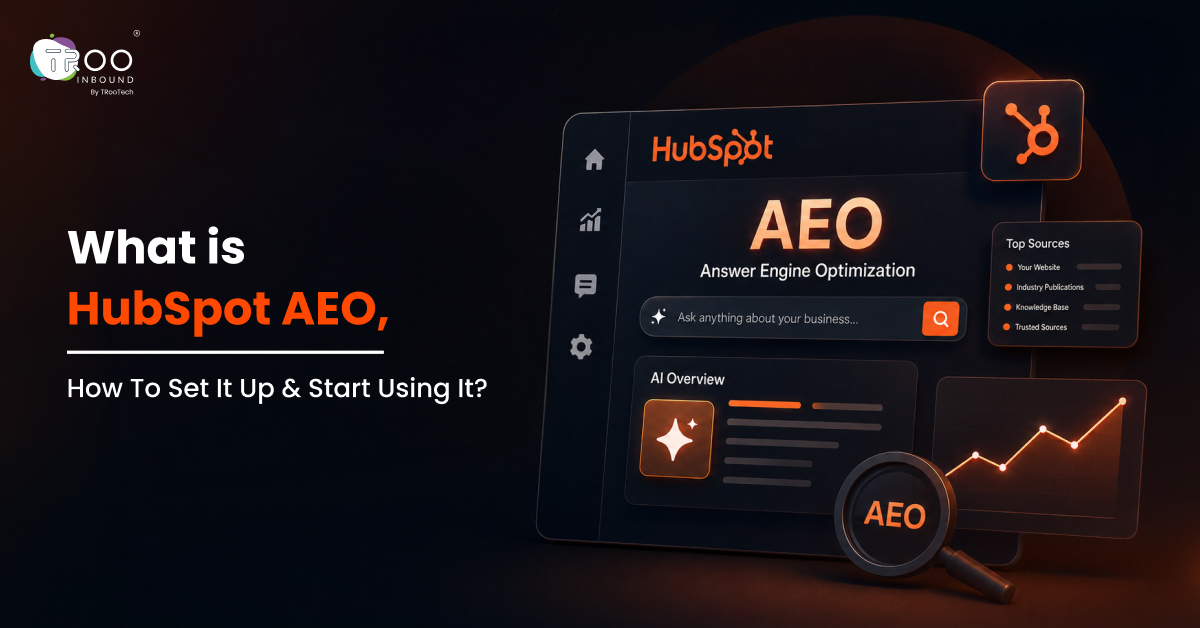
HubSpot AEO is an answer engine optimization tool, currently in beta version, that tracks how often ChatGPT, Gemini, and Perplexity mention your brand when buyers ask category-related questions. It works whether or not your website is hosted on HubSpot, costs $50/month standalone ($45/month billed annually), or comes included with Marketing Hub Professional and Enterprise.
TL;DR:
- Tracks brand visibility across three AI engines: ChatGPT, Gemini, Perplexity
- Standalone pricing: $50/month ($45/month annual); free 28-day trial
- Included in Marketing Hub Professional and Enterprise
- Reports four things: whether you appear, how you're described, which sources are cited, and what to fix
- Tracks four metrics: Brand Metrics Score, Prompt Tracking, Citation Analysis, Prioritized Recommendations
What Is HubSpot AEO Tool?

The HubSpot AEO tool measures your brand’s presence inside AI-generated answers and turns that measurement into a list of actions to be taken to increase the chances of showing up in AI tools.
You give the tool a set of prompts your buyers are likely to type. It sends those prompts to ChatGPT, Gemini, and Perplexity, then reports back on four things: whether you appeared, how you were described, which sources the answer relied on, and what to do about the gaps.
In short, HubSpot AEO helps you track your AI visibility across ChatGPT, Gemini, and Perplexity and provides actionable insights to improve your presence in AI-generated answers.
Why HubSpot Built HubSpot AEO Tool?
As search has shifted from search engines to answer engines, the visibility and traffic metrics also changed:
- Visibility: Now your content is either visible in AI tools or your identity is completely lost.
- Traffic: HubSpot reports that CRM buyers who used AI search were 36% more likely to purchase than those who did not. This means visitors who reach your website through AI search may already be familiar with your brand and closer to making a decision.
HubSpot grabbed this opportunity and introduced its AEO tool to help marketers measure AI visibility, compare competitor performance, analyse citations, and identify areas requiring attention.
Is HubSpot AEO Standalone or Part of Marketing Hub?
HubSpot AEO is available as a standalone as well as a part of Marketing Hub (Pro / Enterprise). The choice matters when it comes to the overall budget and requirements. Here are the differences between the two offerings:
| Factors | HubSpot AEO (standalone) | Marketing Hub Professional / Enterprise |
|---|---|---|
| Price | $50 per month, or $45 per month billed annually | Included in your subscription |
| Other HubSpot subscription needed | No | Yes |
| Engines covered | ChatGPT, Gemini, Perplexity | ChatGPT, Gemini, Perplexity |
| Prompts included | 25, and you can buy more anytime | A starting set of 25 to 50, expandable with no cap |
| Prompt suggestions | Based on your company, competitors, and industry | Based on your CRM data |
| Acting on recommendations | Outside HubSpot | Inside HubSpot’s content and social tools |
| Core tracking and reporting | Visibility, sentiment, share of voice, citations | Same, plus data sitting alongside campaign metrics |
The standalone tool is a clean way to start. You get real multi-engine tracking, citation analysis, competitor share of voice, and prioritised recommendations for $50 a month with no other HubSpot product required. If you run more than one brand, you can buy a separate instance for each at the same price.
The Marketing Hub version is stronger for one reason: your CRM data. Prompt suggestions come from who your actual customers are rather than a generic industry template. And because your content tools sit in the same platform, the gaps between spotting a void and publishing its fix become easier.
What Metrics Does HubSpot AEO Track?
HubSpot AEO provides four core capabilities: a brand metrics score, prompt tracking, citation analysis, and prioritized recommendations. Let’s understand them in detail:
1. Brand Metrics score
Your brand visibility score is the percentage of your tracked prompts where an AI answer actually mentions your business. One number, tracked over time, across all three engines.
Two supporting metrics sit next to it:
- Brand Visibility: Measures what percentage of AI mentions in your category go to you rather than your competitors, so it tells you your position rather than just your presence.
- Sentiment Analysis: Measures the tone of those mentions on a scale from -100 to +100, because AI does not simply list brands; it describes them. Sentiment is worth watching after a product launch, a pricing change, or a run of third-party coverage, since tone often moves before visibility does.
A low score does not necessarily mean your entire brand has poor AI visibility. It may indicate that you are missing from a particular product category, buyer journey stage, customer segment, or group of high-value prompts. This is why the overall score should be analysed alongside individual prompt results.
2. Prompt Tracking
Prompt tracking measures how you perform on the specific prompts you have chosen to monitor.
Treat it as rank tracking for answers rather than for a results page. Click into any prompt, and you can read the exact response each engine returned. You can filter by answer engine, by buying stage, and by which product or service the prompt relates to.
Reading those full responses is the part most teams skip, and it is the most valuable input you will get. You see which competitors the AI names first, how it describes them, what language it uses for your category, and which pages it leaned on. That is a content brief written for you.
3. Citation analysis
A mention and a citation are not the same thing. A mention is when AI names your brand. A citation is when AI uses one of your pages as source material and links back to it.
Citation analysis shows which domains, URLs, and content types are being referenced in AI answers across your category. It helps you:
- Compare your citation rate against competitors over time
- See which source types drive mentions, including your own content, competitor domains, third-party sites, social platforms, and affiliate content.
- Check which formats win: blogs, news, product pages, or social posts.
This is usually where the clearest instruction appears. If a competitor’s comparison page shows up on every prompt in your category and you have nothing equivalent, you know exactly what to build next.
4. Prioritised recommendations
The recommendations turn your visibility gaps into a ranked list of actions, each one explaining what to do and why it should help.
Depending on the gap, recommendations may point you towards fixing a technical issue, publishing a video, posting on LinkedIn, publishing a blog, joining a relevant Reddit discussion, or approaching a third-party site the AI already trusts.
If you are on Marketing Hub Professional or Enterprise, you can act on these without leaving HubSpot. Blog recommendations generate a research-backed draft in your brand voice in one click, and you can track that page’s impact in the same panel after publishing. Review and edit any draft before it goes live.
How to Use HubSpot AEO Effectively?
HubSpot AEO becomes valuable when you use its data to guide content, brand, and visibility decisions rather than treating it as another reporting dashboard.
Here is how marketers can turn those insights into practical actions:
1. Track Prompts That Reflect Buyer Intent
Start by tracking the questions buyers ask during research and evaluation, including category, comparison, pricing, problem-based, and use-case queries. Then organize prompts by product, audience, location, and buying stage to see where your brand appears across the buyer journey.
2. Review the Complete AI-Generated Answers
Open individual prompt results and read the full responses returned by ChatGPT, Gemini, and Perplexity. Look at which brands appear first, how competitors are positioned, what features or benefits are emphasised, and whether the information presented about your brand is accurate. This reveals how answer engines currently understand your market and where your messaging may need improvement.
3. Compare Your Performance With Competitors
Pay attention to prompts where competitors consistently appear, but your brand does not. These gaps can indicate missing comparison content, weak category positioning, limited third-party coverage, or insufficient information about a specific product or service.
4. Analyze the Sources Being Cited
Review the domains, URLs, and content formats that answer engines cite for important prompts. Identify patterns in the sources that appear repeatedly. For example, if comparison pages, detailed guides, customer reviews, or industry articles dominate citations in your category, those formats may deserve greater attention in your content and outreach strategy.
5. Act on the Highest-Priority Gaps
Do not try to address every visibility gap at once. Prioritise high-value prompts related to your core services, key customer segments, or decision-stage searches. Depending on the gap, the right action may range from improving an existing page to earning coverage from a trusted third-party source.
6. Measure Changes Over Multiple Analysis Cycles
AI-generated answers can change as platforms update their responses and new information becomes available. So, reviewing visibility, sentiment, share of voice, and citations over time is essential.
How to Set Up HubSpot AEO Tool?
To start the setup, navigate to Marketing > AEO > Get Started. A new tool setup wizard will open. In the top right corner of it, there’s ‘How It Works’ and a settings icon. Click on that and start inserting your brand details as follows:
Step 1: Add Your Brand Names
Enter your primary brand name plus every variation AI might use: product names, abbreviations, common misspellings, older trading names.
HubSpot notes that brand variations are case-sensitive, so each version should be entered exactly as it appears publicly.
Avoid adding unrelated variations merely to increase the number of detected mentions. The purpose is to measure genuine brand visibility accurately.
Step 2: Add Your Competitors
HubSpot may suggest some competitors based on your domain. Review them and keep the ones your buyers genuinely compare you against; remove others and manually add other competitors that you think should be there in the list. Everything in the competitive reporting flows from this list.
Ensure you include competitors that:
- Regularly appear in sales conversations
- Compete for the same buyer
- Offer a comparable product or service
- Appear in industry comparisons
- Operate in the same geographic market
- Receive frequent mentions from AI platforms
Step 3: Add Products and Ideal Customer Profiles (ICPs)
If you are on Marketing Hub Pro or Enterprise, HubSpot pulls products and ideal customer profiles from your CRM. Choose one of each to generate your first prompt set. Start with your highest-value buyer or your most contested service line rather than trying to cover everything.
Also set the ICP location. AI answers are shaped by geography because accurate locations make your prompts reflect how your buyers actually search.
Step 4: Review and Edit the Prompts
HubSpot generates a starting set. Read each one and ask a simple question: would a real buyer type this? Then add your own. Use the questions that come up on sales calls, the comparisons prospects make, the objections you hear every week.
Tag each prompt with a buying stage. Showing up in a decision-stage answer is far more than worthy than an awareness-stage mention, and tagging lets you see which stage you are actually winning.
Remember, a tight set of 20 to 30 prompts across two or three focus areas gives you cleaner signal than 100 prompts spread thin across everything you sell.
After all these steps are followed, give it 24-48 hours to set up properly. Data starts populating within a day or two, and the tool refreshes on a regular cycle from there.
Are HubSpot AEO and HubSpot AEO Grader the same?
HubSpot AEO and HubSpot AEO Grader are related, but they serve different purposes.
The AEO Grader is best used as an initial diagnostic. HubSpot AEO is designed for ongoing monitoring and execution.
| Capability | HubSpot AEO Grader | HubSpot AEO |
|---|---|---|
| Primary purpose | One-time visibility snapshot | Ongoing visibility monitoring |
| Prompt selection | Pre-set diagnostic queries | Custom and suggested prompts |
| Trend tracking | No | Yes |
| Competitor monitoring | Snapshot comparison | Ongoing comparison |
| Citation analysis | Limited diagnostic insight | Detailed domain, page and channel analysis |
| Recommendations | Sample recommendations | Prioritised, ongoing recommendations |
| Best use | Establishing an initial baseline | Managing an active AEO programme |
In short, AEO Grader is a free, one-time diagnostic that checks visibility, sentiment and competitive position across ChatGPT, Gemini, and Perplexity. The full AEO product tracks selected prompts over time and provides deeper citation and competitor analysis.
What Should You Do in the First 30 Days After Setting Up HubSpot AEO?
Just focusing on tracking your AI visibility is not the complete usage of this tool. Here is a structured process that helps you know how much AI visibility you have and where the gaps are where competitors are winning:
- Week one: establish your baseline. Note your visibility score, sentiment, and share of voice per engine. Do not act yet. You need a starting line to measure against.
- Week two: read the answers. Go into your lowest-performing prompts and read the full AI responses. Look at which competitors appear, how they are described, and which URLs get cited. Patterns show up fast.
- Week three: fix your worst gap. Pick the highest-value prompt where you are invisible and build for it. Usually this is a comparison page, a detailed FAQ, or a specific explainer. One well-structured page on a prompt your buyers actually ask beats ten generic posts.
- Week four: look beyond your own site. Citation data often shows third-party sources doing the heavy lifting: review sites, directories, industry publications, Reddit threads. If AI trusts those sources in your category, being present on them matters as much as your own blog.
What HubSpot AEO Does Not Do?
HubSpot AEO provides useful visibility data, but marketers should understand its boundaries.
- It Does Not Guarantee an AI Citation: A recommendation identifies patterns and possible actions. It cannot guarantee that ChatGPT, Gemini, or Perplexity will mention or cite a specific page. Answer engines make their own decisions based on available information, query context, platform behaviour, and source selection.
- It Does Not Replace Content Expertise: AI-generated drafts still require human review. HubSpot itself recommends manually reviewing and editing AI-produced content before publication.
- It Does Not Replace SEO: AEO still depends on clear website architecture, crawlable pages, relevant content, technical accessibility, and credible brand signals. Weak technical SEO can still restrict how information is found and understood. Hire SEO experts to fix any foundational SEO issues in your site.
- It Requires Time to Show Meaningful Trends: Daily tracking does not mean that every content update will produce an immediate result. HubSpot advises examining several analysis cycles because search engine responses change over time and the effect of completed recommendations may not appear immediately.
Who Should Use HubSpot AEO?
HubSpot AEO may be particularly useful for:
- B2B businesses with research-heavy buying journeys
- SaaS companies competing in crowded categories
- HubSpot customers using Marketing Hub Professional or Enterprise
- Multi-product businesses that need topic-level visibility
- Companies frequently compared with named competitors
- Marketing teams investing in thought leadership
- Brands receiving traffic from AI platforms
- Agencies managing AEO programmes for clients
- Companies whose buyers use AI for vendor research
It can also help companies with websites outside HubSpot. HubSpot confirms that the standalone AEO tool can track brand visibility regardless of where the website is hosted.
How TRooInbound Helps Here?
HubSpot AEO gives marketers something they have often lacked in AI search: a structured way to measure brand visibility and decide what to do next.
The strongest approach is to use the AEO Grader for an initial snapshot, configure ongoing prompt monitoring, examine competitor and citation patterns, and then translate those findings into content, technical, social, and outreach activity.
TRooInbound helps marketing teams configure HubSpot AEO, select commercially relevant prompts, organize prompt groups, analyse competitor and citation gaps, and turn those findings into content, technical SEO, social media, and third-party outreach actions.
If AI is already recommending your competitors, the fix starts with knowing exactly where you stand. Book a conversation with our team, and we will map it out with you.
FAQs
Read Popular Questions
What does HubSpot AEO cost?
The standalone tool is $50 per month, or $45 per month billed annually, and includes 25 prompts. It is already included in Marketing Hub Professional and Enterprise. HubSpot also offers a free trial covering 25 prompts across all three engines with no credit card required.
Do I need to be a technical or AEO expert to get results from HubSpot AEO?
Setting the tool up is straightforward, and HubSpot designed the interface so any marketer can navigate it without technical knowledge. Getting results from it is a different skill. The tool tells you where you are invisible. It does not decide which of those gaps are worth your budget. That judgement is where most teams stall, and it is where an experienced HubSpot AEO partner like TRooInbound earns its place.
Which AI platforms does HubSpot AEO track?
Currently, the HubSpot AEO tool is in beta and tracks visibility across ChatGPT, Gemini, and Perplexity.
Do I need HubSpot CMS or another HubSpot subscription?
Neither. The standalone tool works on its own at $50 per month and tracks your brand no matter where your website is hosted. However, if you want more connected and customer-centric outcomes, using the AEO tool that is inside Marketing Hub Pro or Enterprise is worth it.
Is there a free way to check where I stand first in AI?
Yes, two. Run the HubSpot AEO Grader for a one-time snapshot of your visibility, sentiment, and competitive position. Or open ChatGPT and ask it the question your ideal buyer would ask about your category, then see who it names. That takes a minute and tells you whether this is a problem worth solving.